Difference between revisions of "NVGate"

From OROS Wiki
Jump to navigation Jump to search
 
Line 1: Line 1:
test test 30/03/2026
---
[[category:WikiOros]]
{{#seo:
|title=NVGate Noise and vibration software
|keywords= NVgate manual, nois and vibration software, FFT analyzer software
|description=How to use NVGate acoustic and vibration software? Official and complete documentation on this page.
}}
{{Software
|Logo= [[image:general-B-256.png|90px]]
|Name= NVGate Software
|Screenshot=[[File:nvGate 7 550pxls.jpg|120px]]
|Developers= [http://www.OROS.com Oros SA]
|Type= [https://en.wikipedia.org/wiki/Data_acquisition Data Acquisition], [https://en.wikipedia.org/wiki/Signal_processing Signal processing], [https://en.wikipedia.org/wiki/Noise Noise] and [https://en.wikipedia.org/wiki/Vibration Vibration], [https://en.wikipedia.org/wiki/Spectrum_analyzer spectrum analyser]
|First release= 2001
|Latest Version= NVGate V17
|Download= [[NVGate_V17:_Install_Process|Here]]
|Operating system= Windows 11 - Windows 10 ([[PC_Requirements|see PC requirements]])
|Language= English, [https://www.toyo.co.jp/mecha/products/detail/oros-fft.html Japanese], Russian
|Licence = Proprietery
|website=[http://www.oros.com oros.com]; [[FFT Spectrum Analyzer Multipurpose#Full technical support|Contact support]]
}}


<!-- ═══════════════════════════════════════════
    BANNIÈRE V17
════════════════════════════════════════════ -->
<div style="background:linear-gradient(135deg,#1a56db 0%,#0e3fa8 100%); color:#fff; border-radius:10px; padding:20px 28px; margin:18px 0; display:flex; align-items:center; justify-content:space-between; flex-wrap:wrap; gap:14px;">
<div>
<div style="font-size:1.5em; font-weight:bold; margin-bottom:5px;">&#x1F680; NVGate V17 is now available!</div>
<div style="opacity:0.85; font-size:0.95em;">Latest version with enhanced analysis capabilities and new features</div>
</div>
<div style="display:flex; gap:10px; flex-wrap:wrap;">
<span style="display:inline-block; background:rgba(255,255,255,0.18); border:1px solid rgba(255,255,255,0.5); border-radius:6px; padding:8px 16px;">[[NVGate_V17:_Install_Process|&#x2B07; Update to V17]]</span>
<span style="display:inline-block; background:rgba(255,255,255,0.18); border:1px solid rgba(255,255,255,0.5); border-radius:6px; padding:8px 16px;">[[NVGate_V17: Release note|&#x1F4C4; Release Notes]]</span>
<span style="display:inline-block; background:rgba(255,255,255,0.18); border:1px solid rgba(255,255,255,0.5); border-radius:6px; padding:8px 16px;">[[NVGate_Installation_and_Connection|&#x1F527; First Installation]]</span>
</div>
</div>
<!-- ═══════════════════════════════════════════
    DÉMARRAGE RAPIDE
════════════════════════════════════════════ -->
<div style="display:flex; gap:14px; margin:16px 0; flex-wrap:wrap;">
<div style="flex:1; min-width:200px; border:1px solid #c8ccd1; border-radius:8px; padding:16px 18px; background:#fff; border-top:4px solid #1a56db;">
<div style="font-weight:bold; font-size:1.05em; margin-bottom:10px; color:#1a56db;">&#x1F3C1; Getting Started</div>
* [[FFT_Spectrum_Analyzer_Multipurpose|OROS analyzer overview]]
* [[NVGate_Software_overview|First Start With NVGate]]
* [https://www.oros.com/services/tutorial-videos/ Video Tutorials]
</div>
<div style="flex:1; min-width:200px; border:1px solid #c8ccd1; border-radius:8px; padding:16px 18px; background:#fff; border-top:4px solid #0e8a3e;">
<div style="font-weight:bold; font-size:1.05em; margin-bottom:10px; color:#0e8a3e;">&#x1F4E6; Install NVGate V17</div>
* [[NVGate_V17:_Install_Process|Update to the latest version]]
* [[NVGate_V17: Release note|Release note V17]]
* [[NVGate_Installation_and_Connection|First Installation and Connection]]
</div>
</div>
<!-- ═══════════════════════════════════════════
    DOCUMENTATION COMPLÈTE
════════════════════════════════════════════ -->
== Complete documentation ==
<!-- Ligne 1 : Onglets du Ribbon -->
<div style="display:flex; flex-wrap:wrap; gap:10px; margin:16px 0 10px;">
<div style="flex:1; min-width:130px; border:1px solid #ddd; border-radius:8px; overflow:hidden; background:#fff; box-shadow:0 1px 3px rgba(0,0,0,0.07);">
<div style="background:#1a56db; color:#fff; font-weight:bold; padding:8px 12px; font-size:0.88em; letter-spacing:.02em;">[[NVGate_Ribbons:_Home_Tab|HOME]]</div>
<ul style="margin:0; padding:6px 12px 8px; list-style:none; font-size:0.84em; line-height:1.9em;">
<li>[[File:GoToR.png|18px|link=NVGate_GoToResult]] [[NVGate_GoToResult|GoToResult]]</li>
<li>[[File:PA_icone.png|18px]] [[NVGate_Post_Analysis|Post Analyze]]</li>
<li>[[File:Save_i.png|18px]] [[NVGate_Ribbons:_Home_Tab#Save_group|Save setup]]</li>
</ul>
</div>
<div style="flex:1; min-width:150px; border:1px solid #ddd; border-radius:8px; overflow:hidden; background:#fff; box-shadow:0 1px 3px rgba(0,0,0,0.07);">
<div style="background:#2563eb; color:#fff; font-weight:bold; padding:8px 12px; font-size:0.88em; letter-spacing:.02em;">[[NVGate_Ribbons:_Acquisition_Tab|ACQUISITION]]</div>
<ul style="margin:0; padding:6px 12px 8px; list-style:none; font-size:0.84em; line-height:1.9em;">
<li>[[File:connect_wiz.png|18px]] [[NVGate_Connection_Wizard|Connect Inputs]]</li>
<li>[[NVGate_Player|Player]]</li>
<li>[[NVGate_Transducer_and_Calibration|Transducer &amp; Calibration]]</li>
<li>[[NVGate_Virtual_Input|Virtual Input]]</li>
<li>[[NVGate_Output_Signals|Output Signals]]</li>
<li>[[NVGate_Event_definition|Event definition]]</li>
<li>[[NVGate_Filter_Builder|Filter Builder]]</li>
<li>[[NVGate_Tachometer|Tachometer]]</li>
</ul>
</div>
<div style="flex:1; min-width:170px; border:1px solid #ddd; border-radius:8px; overflow:hidden; background:#fff; box-shadow:0 1px 3px rgba(0,0,0,0.07);">
<div style="background:#6d28d9; color:#fff; font-weight:bold; padding:8px 12px; font-size:0.88em; letter-spacing:.02em;">[[NVGate_Ribbons:_Analysis_Tab|ANALYSIS]]</div>
<ul style="margin:0; padding:6px 12px 8px; list-style:none; font-size:0.84em; line-height:1.9em;">
<li>[[NVGate_Front_End|Front End]]</li>
<li>[[NVGate_Recorder|Recorder]]</li>
<li>[[NVGate_FFT|FFT]]</li>
<li>[[NVGate_Synchronous_Order_Analysis|Synchronous Order Analysis (SOA)]]</li>
<li>[[NVGate_Time_Domain_Analysis|Time Domain Analysis (TDA)]]</li>
<li>[[NVGate_Octave_Analyzer|1/n Octave Analyzer]]</li>
<li>[[NVGate_Overall_Acoustic_-_Sound_Level_meter|Overall Acoustic (OVA)]]</li>
<li>[[NVGate_Monitor_Plug_In|Monitor]]</li>
<li>[[NVGate_Waterfall|Waterfall]]</li>
<li>[[NVGate_Time_windows|Force / response windows]]</li>
<li>[[NVGate_Torsional|Torsional Analysis]]</li>
</ul>
</div>
<div style="flex:1; min-width:140px; border:1px solid #ddd; border-radius:8px; overflow:hidden; background:#fff; box-shadow:0 1px 3px rgba(0,0,0,0.07);">
<div style="background:#047857; color:#fff; font-weight:bold; padding:8px 12px; font-size:0.88em; letter-spacing:.02em;">[[NVGate_Ribbons:_Data|DATA]]</div>
<ul style="margin:0; padding:6px 12px 8px; list-style:none; font-size:0.84em; line-height:1.9em;">
<li>[[File:dataset_i.png|18px]] [[NVGate_dataset_management|Dataset management]]</li>
<li>[[File:edit_icone.png|18px]] [[NVGate_Edit_Measurement|Edit Measurement]]</li>
<li>[[Disk(Hard-drive)_management|Disk management]]</li>
<li>[[NVGate_Export/import|Export / Import file]]</li>
<li>[[NVGate_OR10_Stand_alone|OR10 Stand Alone]]</li>
<li>[[NVGate_D-Rec|D-Rec : record without PC]]</li>
</ul>
</div>
<div style="flex:1; min-width:130px; border:1px solid #ddd; border-radius:8px; overflow:hidden; background:#fff; box-shadow:0 1px 3px rgba(0,0,0,0.07);">
<div style="background:#b45309; color:#fff; font-weight:bold; padding:8px 12px; font-size:0.88em; letter-spacing:.02em;">[[NVGate_Ribbons:_Display|DISPLAY]]</div>
<ul style="margin:0; padding:6px 12px 8px; list-style:none; font-size:0.84em; line-height:1.9em;">
<li>[[File:ADD_re.png|18px]] [[NVGate_Ribbons:_Display|Add/Remove windows]]</li>
<li>[[File:Reports_Tools_Ribbons_467.png|18px]] [[NVGate_Marker|Marker]]</li>
<li>[[NVGate_Waterfall#Waterfall_Display|Waterfall Display]]</li>
</ul>
</div>
<div style="flex:1; min-width:110px; border:1px solid #ddd; border-radius:8px; overflow:hidden; background:#fff; box-shadow:0 1px 3px rgba(0,0,0,0.07);">
<div style="background:#059669; color:#fff; font-weight:bold; padding:8px 12px; font-size:0.88em; letter-spacing:.02em;">[[NVGate_Report|REPORT]]</div>
<ul style="margin:0; padding:6px 12px 8px; list-style:none; font-size:0.84em; line-height:1.9em;">
<li>[[NVGate_Report|Report]]</li>
</ul>
</div>
<div style="flex:1; min-width:140px; border:1px solid #ddd; border-radius:8px; overflow:hidden; background:#fff; box-shadow:0 1px 3px rgba(0,0,0,0.07);">
<div style="background:#b91c1c; color:#fff; font-weight:bold; padding:8px 12px; font-size:0.88em; letter-spacing:.02em;">[[NVGate_Ribbons:_Automation|AUTOMATION]]</div>
<ul style="margin:0; padding:6px 12px 8px; list-style:none; font-size:0.84em; line-height:1.9em;">
<li>[[File:Reports_Tools_Ribbons_71.jpg|18px]] [[NVGate_Macro|Macro]]</li>
<li>[[File:Reports_Tools_Ribbons_134.png|18px]] [[NVGate_Sequence|Sequencer]]</li>
<li>[[File:CP.png|18px]] [[NVGate_Control_Panel|Control Panel]]</li>
<li>[[File:Reports_Tools_Ribbons_162.png|18px]] [[NVGate_Mask_And_Alarm|Mask And Alarm]]</li>
</ul>
</div>
<div style="flex:1; min-width:120px; border:1px solid #ddd; border-radius:8px; overflow:hidden; background:#fff; box-shadow:0 1px 3px rgba(0,0,0,0.07);">
<div style="background:#4b5563; color:#fff; font-weight:bold; padding:8px 12px; font-size:0.88em; letter-spacing:.02em;">[[NVGate_Ribbons:_Preferences|PREFERENCES]]</div>
<ul style="margin:0; padding:6px 12px 8px; list-style:none; font-size:0.84em; line-height:1.9em;">
<li>[[File:preference.png|18px]] [[NVGate_User_Preferences|User Preferences]]</li>
<li>[[File:properties.png|18px]] [[NVGate:_Properties|Properties]]</li>
</ul>
</div>
</div><!-- fin ligne 1 -->
<!-- Ligne 2 : Vues & ressources -->
<div style="display:flex; flex-wrap:wrap; gap:10px; margin:0 0 20px;">
<div style="flex:1; min-width:140px; border:1px solid #ddd; border-radius:8px; overflow:hidden; background:#fff; box-shadow:0 1px 3px rgba(0,0,0,0.07);">
<div style="background:#1e3a8a; color:#fff; font-weight:bold; padding:8px 12px; font-size:0.88em; letter-spacing:.02em;">WORKSPACE VIEW</div>
<ul style="margin:0; padding:6px 12px 8px; list-style:none; font-size:0.84em; line-height:1.9em;">
<li>[[NVGate_Architecture|Architecture]]</li>
<li>[[NVGate_Analyzer_Setting_Browser_(ASB)|Analyzer Settings Browser]]</li>
<li>[[NVGate_Control_Panel|Control Panel]]</li>
<li>[[NVGate_Project_manager|Project Manager]]</li>
<li>[[NVGate_Status_bar|Status bar]]</li>
</ul>
</div>
<div style="flex:1; min-width:160px; border:1px solid #ddd; border-radius:8px; overflow:hidden; background:#fff; box-shadow:0 1px 3px rgba(0,0,0,0.07);">
<div style="background:#4338ca; color:#fff; font-weight:bold; padding:8px 12px; font-size:0.88em; letter-spacing:.02em;">DISPLAY, WINDOWS &amp; TRACES</div>
<ul style="margin:0; padding:6px 12px 8px; list-style:none; font-size:0.84em; line-height:1.9em;">
<li>[[NVGate_Display|Display Overview]]</li>
<li>[[NVGate_Integrate_-_Differentiate_-_Unit|Integrate / Differentiate - Unit]]</li>
<li>[[NVGate_Operator|Graphical Operator]]</li>
<li>[[NVGate_Zoomed_signal|Player Zoomed signal]]</li>
</ul>
</div>
<div style="flex:1; min-width:160px; border:1px solid #ddd; border-radius:8px; overflow:hidden; background:#fff; box-shadow:0 1px 3px rgba(0,0,0,0.07);">
<div style="background:#0e7490; color:#fff; font-weight:bold; padding:8px 12px; font-size:0.88em; letter-spacing:.02em;">SIGNAL PROCESSING NOTES</div>
<ul style="margin:0; padding:6px 12px 8px; list-style:none; font-size:0.84em; line-height:1.9em;">
<li>[[NVGate_CBT_principle_and_settings|CBT principle and settings]]</li>
<li>[[NVGate_SOA_and_CBT_techniques|SOA vs CBT]]</li>
<li>[[NVGate_Envelope_analysis|Envelope Analysis]]</li>
<li>[[NVGate_time_shift_resampling|Ext synch: time shift resampling]]</li>
<li>[[User_note:_FFT_averaging|FFT Averaging]]</li>
<li>[[NVGate:_How_do_I|NVGate: How do I?]]</li>
</ul>
</div>
<div style="flex:1; min-width:150px; border:1px solid #ddd; border-radius:8px; overflow:hidden; background:#fff; box-shadow:0 1px 3px rgba(0,0,0,0.07);">
<div style="background:#374151; color:#fff; font-weight:bold; padding:8px 12px; font-size:0.88em; letter-spacing:.02em;">APPENDIX</div>
<ul style="margin:0; padding:6px 12px 8px; list-style:none; font-size:0.84em; line-height:1.9em;">
<li>[[NVGate_Formula_Computation|NVGate FFT Computation]]</li>
<li>[[NVGate_filter_formula_appendix|Filter: curve and formula]]</li>
<li>[[NVGate_Weighting_Windows_appendix|Weighting Windows]]</li>
<li>[[NVGate_time_shift_resampling|Ext synch: time shift resampling]]</li>
<li>[[NVGate_Specification|Specification]]</li>
<li>[[NVGate_Shortcuts|Shortcuts]]</li>
<li>[[NVGate_Glossary|Glossary]]</li>
</ul>
</div>
</div><!-- fin ligne 2 -->
<!-- ═══════════════════════════════════════════
    ADD-ONS
════════════════════════════════════════════ -->
== NVGate Add on ==
A DLL is needed for NVDrive. It is downloadable in the Microsoft Visual C++ 2010 Service Pack 1 Redistributable Package [https://www.microsoft.com/en-us/download/details.aspx?id=26999 here].
<div style="display:flex; flex-wrap:wrap; gap:16px; margin:22px 0;">
<div style="width:165px; border:1px solid #c8ccd1; border-radius:8px; overflow:hidden; background:#fff; box-shadow:0 2px 5px rgba(0,0,0,0.09); text-align:center;">
<div style="background:#eef2fb; padding:12px; min-height:110px; display:flex; align-items:center; justify-content:center;">[[File:modbus-drawing.png|140px|link=Modbus_TCP/IP_to_NVGate|Modbus TCP/IP]]</div>
<div style="padding:8px 6px 10px;">
<div style="font-weight:bold; font-size:0.9em; margin-bottom:4px;">[[Modbus_TCP/IP_to_NVGate|Modbus TCP/IP]]</div>
<div style="font-size:0.78em; color:#555; line-height:1.35em;">Inject Modbus registers as DC simulated channels</div>
</div></div>
<div style="width:165px; border:1px solid #c8ccd1; border-radius:8px; overflow:hidden; background:#fff; box-shadow:0 2px 5px rgba(0,0,0,0.09); text-align:center;">
<div style="background:#eef2fb; padding:12px; min-height:110px; display:flex; align-items:center; justify-content:center;">[[File:Manual_-_Tach_Extract_04.png|140px|link=External_Tools:_TachTool|TachTool]]</div>
<div style="padding:8px 6px 10px;">
<div style="font-weight:bold; font-size:0.9em; margin-bottom:4px;">[[External_Tools:_TachTool|TachTool]]</div>
<div style="font-size:0.78em; color:#555; line-height:1.35em;">Extract tachometer reference from a recorded signal</div>
</div></div>
<div style="width:165px; border:1px solid #c8ccd1; border-radius:8px; overflow:hidden; background:#fff; box-shadow:0 2px 5px rgba(0,0,0,0.09); text-align:center;">
<div style="background:#eef2fb; padding:12px; min-height:110px; display:flex; align-items:center; justify-content:center;">[[File:Batch post process.png|140px|link=NVGate_BatchPostProcess_tool|BatchPostProcess]]</div>
<div style="padding:8px 6px 10px;">
<div style="font-weight:bold; font-size:0.9em; margin-bottom:4px;">[[NVGate_BatchPostProcess_tool|BatchPostProcess]]</div>
<div style="font-size:0.78em; color:#555; line-height:1.35em;">Automate post-processing on multiple files</div>
</div></div>
<div style="width:165px; border:1px solid #c8ccd1; border-radius:8px; overflow:hidden; background:#fff; box-shadow:0 2px 5px rgba(0,0,0,0.09); text-align:center;">
<div style="background:#eef2fb; padding:12px; min-height:110px; display:flex; align-items:center; justify-content:center;">[[File:Manual_-_Rosette_04.gif|140px|link=External_tools:_Rosette_computation|Rosette computation]]</div>
<div style="padding:8px 6px 10px;">
<div style="font-weight:bold; font-size:0.9em; margin-bottom:4px;">[[External_tools:_Rosette_computation|Rosette computation]]</div>
<div style="font-size:0.78em; color:#555; line-height:1.35em;">Compute principal stresses from strain gauge rosettes</div>
</div></div>
<div style="width:165px; border:1px solid #c8ccd1; border-radius:8px; overflow:hidden; background:#fff; box-shadow:0 2px 5px rgba(0,0,0,0.09); text-align:center;">
<div style="background:#eef2fb; padding:12px; min-height:110px; display:flex; align-items:center; justify-content:center;">[[File:RT60_05.png|140px|link=RT60_Calculator|RT60 Calculator]]</div>
<div style="padding:8px 6px 10px;">
<div style="font-weight:bold; font-size:0.9em; margin-bottom:4px;">[[RT60_Calculator|RT60 Calculator]]</div>
<div style="font-size:0.78em; color:#555; line-height:1.35em;">Measure acoustic reverberation time</div>
</div></div>
<div style="width:165px; border:1px solid #c8ccd1; border-radius:8px; overflow:hidden; background:#fff; box-shadow:0 2px 5px rgba(0,0,0,0.09); text-align:center;">
<div style="background:#eef2fb; padding:12px; min-height:110px; display:flex; align-items:center; justify-content:center;">[[File:Auto_rep.png|140px|link=NVGate_Tools:_AutoReport|AutoReport]]</div>
<div style="padding:8px 6px 10px;">
<div style="font-weight:bold; font-size:0.9em; margin-bottom:4px;">[[NVGate_Tools:_AutoReport|AutoReport]]</div>
<div style="font-size:0.78em; color:#555; line-height:1.35em;">Generate automated production test reports</div>
</div></div>
<div style="width:165px; border:1px solid #c8ccd1; border-radius:8px; overflow:hidden; background:#fff; box-shadow:0 2px 5px rgba(0,0,0,0.09); text-align:center;">
<div style="background:#eef2fb; padding:12px; min-height:110px; display:flex; align-items:center; justify-content:center;">[[File:EditSignal_05.png|140px|link=NVGate_Tools:_EditSignal|EditSignal]]</div>
<div style="padding:8px 6px 10px;">
<div style="font-weight:bold; font-size:0.9em; margin-bottom:4px;">[[NVGate_Tools:_EditSignal|EditSignal]]</div>
<div style="font-size:0.78em; color:#555; line-height:1.35em;">Edit and synthesize recorded time signals</div>
</div></div>
<div style="width:165px; border:1px solid #c8ccd1; border-radius:8px; overflow:hidden; background:#fff; box-shadow:0 2px 5px rgba(0,0,0,0.09); text-align:center;">
<div style="background:#eef2fb; padding:12px; min-height:110px; display:flex; align-items:center; justify-content:center;">[[File:candbc.png|140px|link=NVGate_Tools:_CanBus_Import_.dbc|CanBus Import]]</div>
<div style="padding:8px 6px 10px;">
<div style="font-weight:bold; font-size:0.9em; margin-bottom:4px;">[[NVGate_Tools:_CanBus_Import_.dbc|CanBus Import]]</div>
<div style="font-size:0.78em; color:#555; line-height:1.35em;">Import CAN bus variables from .dbc files</div>
</div></div>
<div style="width:165px; border:1px solid #c8ccd1; border-radius:8px; overflow:hidden; background:#fff; box-shadow:0 2px 5px rgba(0,0,0,0.09); text-align:center;">
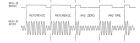
<div style="background:#eef2fb; padding:12px; min-height:110px; display:flex; align-items:center; justify-content:center;">[[File:IRIG.png|140px|link=NVGate_IRIG_Marker|IRIG Marker]]</div>
<div style="padding:8px 6px 10px;">
<div style="font-weight:bold; font-size:0.9em; margin-bottom:4px;">[[NVGate_IRIG_Marker|IRIG Marker]]</div>
<div style="font-size:0.78em; color:#555; line-height:1.35em;">Synchronize measurements with IRIG-B time code</div>
</div></div>
<div style="width:165px; border:1px solid #c8ccd1; border-radius:8px; overflow:hidden; background:#fff; box-shadow:0 2px 5px rgba(0,0,0,0.09); text-align:center;">
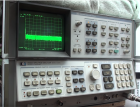
<div style="background:#eef2fb; padding:12px; min-height:110px; display:flex; align-items:center; justify-content:center;">[[File:HP_analyzer.png|140px|link=NVGate_HP_Spectrum_Analyzer|HP Spectrum Analyzer]]</div>
<div style="padding:8px 6px 10px;">
<div style="font-weight:bold; font-size:0.9em; margin-bottom:4px;">[[NVGate_HP_Spectrum_Analyzer|HP Spectrum Analyzer]]</div>
<div style="font-size:0.78em; color:#555; line-height:1.35em;">Emulate HP/Agilent analyzer display modes</div>
</div></div>
<div style="width:165px; border:1px solid #c8ccd1; border-radius:8px; overflow:hidden; background:#fff; box-shadow:0 2px 5px rgba(0,0,0,0.09); text-align:center;">
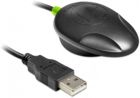
<div style="background:#eef2fb; padding:12px; min-height:110px; display:flex; align-items:center; justify-content:center;">[[File:gps_navilock.jpg|140px|link=NVGate_DC_Simulated_Manager#GPS|GPS]]</div>
<div style="padding:8px 6px 10px;">
<div style="font-weight:bold; font-size:0.9em; margin-bottom:4px;">[[NVGate_DC_Simulated_Manager#GPS|GPS]]</div>
<div style="font-size:0.78em; color:#555; line-height:1.35em;">Log GPS position as DC simulated channels</div>
</div></div>
<div style="width:165px; border:1px solid #c8ccd1; border-radius:8px; overflow:hidden; background:#fff; box-shadow:0 2px 5px rgba(0,0,0,0.09); text-align:center;">
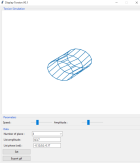
<div style="background:#eef2fb; padding:12px; min-height:110px; display:flex; align-items:center; justify-content:center;">[[File:display_torsion.PNG|140px|link=Display_Torsion_ODS|Display Torsion ODS]]</div>
<div style="padding:8px 6px 10px;">
<div style="font-weight:bold; font-size:0.9em; margin-bottom:4px;">[[Display_Torsion_ODS|Display Torsion ODS]]</div>
<div style="font-size:0.78em; color:#555; line-height:1.35em;">Visualize torsional operational deflection shapes</div>
</div></div>
<div style="width:165px; border:1px solid #c8ccd1; border-radius:8px; overflow:hidden; background:#fff; box-shadow:0 2px 5px rgba(0,0,0,0.09); text-align:center;">
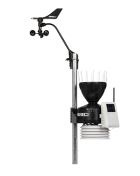
<div style="background:#eef2fb; padding:12px; min-height:110px; display:flex; align-items:center; justify-content:center;">[[File:weather.png|140px|link=NVGate_DC_Simulated_Manager#Weather_station|Weather station]]</div>
<div style="padding:8px 6px 10px;">
<div style="font-weight:bold; font-size:0.9em; margin-bottom:4px;">[[NVGate_DC_Simulated_Manager#Weather_station|Weather station]]</div>
<div style="font-size:0.78em; color:#555; line-height:1.35em;">Integrate Davis weather station data as DC channels</div>
</div></div>
<div style="width:165px; border:1px solid #c8ccd1; border-radius:8px; overflow:hidden; background:#fff; box-shadow:0 2px 5px rgba(0,0,0,0.09); text-align:center;">
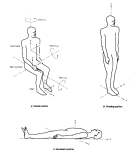
<div style="background:#eef2fb; padding:12px; min-height:110px; display:flex; align-items:center; justify-content:center;">[[File:Axis_WholeBody.png|140px|link=Human_Vibration|Human Vibration]]</div>
<div style="padding:8px 6px 10px;">
<div style="font-weight:bold; font-size:0.9em; margin-bottom:4px;">[[Human_Vibration|Human Vibration]]</div>
<div style="font-size:0.78em; color:#555; line-height:1.35em;">Whole-body &amp; hand-arm vibration analysis (ISO 2631)</div>
</div></div>
<div style="width:165px; border:1px solid #c8ccd1; border-radius:8px; overflow:hidden; background:#fff; box-shadow:0 2px 5px rgba(0,0,0,0.09); text-align:center;">
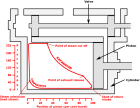
<div style="background:#eef2fb; padding:12px; min-height:110px; display:flex; align-items:center; justify-content:center;">[[File:Indicator_diagram_steam_admission.png|140px|link=Addons:PV_Diagram|PV Diagram]]</div>
<div style="padding:8px 6px 10px;">
<div style="font-weight:bold; font-size:0.9em; margin-bottom:4px;">[[Addons:PV_Diagram|PV Diagram]]</div>
<div style="font-size:0.78em; color:#555; line-height:1.35em;">Pressure-Volume indicator diagram for engine analysis</div>
</div></div>
<div style="width:165px; border:1px solid #c8ccd1; border-radius:8px; overflow:hidden; background:#fff; box-shadow:0 2px 5px rgba(0,0,0,0.09); text-align:center;">
<div style="background:#eef2fb; padding:12px; min-height:110px; display:flex; align-items:center; justify-content:center;">[[File:EVHV_01.gif|140px|link=NVGate_EVHV|EVHV]]</div>
<div style="padding:8px 6px 10px;">
<div style="font-weight:bold; font-size:0.9em; margin-bottom:4px;">[[NVGate_EVHV|EVHV]]</div>
<div style="font-size:0.78em; color:#555; line-height:1.35em;">Electrical motor &amp; inverter diagnostic solution</div>
</div></div>
<div style="width:165px; border:1px solid #c8ccd1; border-radius:8px; overflow:hidden; background:#fff; box-shadow:0 2px 5px rgba(0,0,0,0.09); text-align:center;">
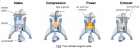
<div style="background:#eef2fb; padding:12px; min-height:110px; display:flex; align-items:center; justify-content:center;">[[File:Engine_diag3.png|140px|link=NVGate_Diesel_Engine_Vibration_Solution:_EngineDiag|EngineDiag]]</div>
<div style="padding:8px 6px 10px;">
<div style="font-weight:bold; font-size:0.9em; margin-bottom:4px;">[[NVGate_Diesel_Engine_Vibration_Solution:_EngineDiag|EngineDiag]]</div>
<div style="font-size:0.78em; color:#555; line-height:1.35em;">Diesel engine vibration diagnostic solution</div>
</div></div>
</div>
---------
[[category:WikiOros]]
[[category:WikiOros]]
{{#seo:
{{#seo:

Latest revision as of 15:33, 30 March 2026


NVGate Software
General-B-256.png NvGate 7 550pxls.jpg
Developer Oros SA
Type Data Acquisition, Signal processing, Noise and Vibration, spectrum analyser
First release 2001
Latest Version NVGate V17
Download Here
Operating system: Windows 11 - Windows 10 (see PC requirements)
Language English, Japanese, Russian
Official website oros.com; Contact support and here!

+============NVGate V17 now available !=============+

Install NVGate V17

Update to the latest version

Release note NVGate V17

First Installation and Connection

First step

OROS analyzer overview

First Start With NVGate

NVGate Video Tutorial

Complete documentation