Difference between revisions of "NVGate"
Jump to navigation
Jump to search
| (One intermediate revision by the same user not shown) | |||
| Line 351: | Line 351: | ||
<div style="width:165px; border:1px solid #c8ccd1; border-radius:8px; overflow:hidden; background:#fff; box-shadow:0 2px 5px rgba(0,0,0,0.09); text-align:center;"> | <div style="width:165px; border:1px solid #c8ccd1; border-radius:8px; overflow:hidden; background:#fff; box-shadow:0 2px 5px rgba(0,0,0,0.09); text-align:center;"> | ||
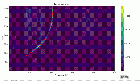
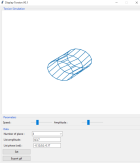
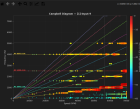
<div style="background:#eef2fb; padding:12px; min-height:110px; display:flex; align-items:center; justify-content:center;">[[File: | <div style="background:#eef2fb; padding:12px; min-height:110px; display:flex; align-items:center; justify-content:center;">[[File:campbel.png|140px|link=Campbell_Diagram_Tool|Campbel]]</div> | ||
<div style="padding:8px 6px 10px;"> | <div style="padding:8px 6px 10px;"> | ||
<div style="font-weight:bold; font-size:0.9em; margin-bottom:4px;">[[ | <div style="font-weight:bold; font-size:0.9em; margin-bottom:4px;">[[Campbell_Diagram_Tool|Campbell Diagram]]</div> | ||
<div style="font-size:0.78em; color:#555; line-height:1.35em;"> | <div style="font-size:0.78em; color:#555; line-height:1.35em;">Campbell Diagram</div> | ||
</div></div> | </div></div> | ||
</div> | </div> | ||
Latest revision as of 15:59, 1 July 2026


NEW!
NVGate V18
🏁 Getting Started
Complete documentation


Additional ressources
■ Workspace View



■ Display - Windows - Trace
■ Signal Processing Notes
NVGate Add on
A DLL is needed for NVDrive. It is downloadable in the Microsoft Visual C++ 2010 Service Pack 1 Redistributable Package here.