Difference between revisions of "NVGate"
Jump to navigation
Jump to search
| (11 intermediate revisions by 3 users not shown) | |||
| Line 1: | Line 1: | ||
{{#seo: | {{#seo: | ||
|title=NVGate | |title=NVGate: Noise & Vibration Analysis Software | OROS Documentation | ||
|keywords=NVGate, NVGate | |keywords=NVGate, NVGate V18, noise and vibration software, FFT analyzer software, vibration analysis, acoustic analysis, signal processing, OROS, NVGate documentation | ||
|description=Official | |description=Official documentation for NVGate V18, the professional noise and vibration analysis software by OROS. FFT, order tracking, acoustics, and signal processing guides. | ||
}} | }} | ||
<div style="float:right; clear:right; margin:0 0 20px 28px; width:280px; border-radius:12px; overflow:hidden; background:#fff; box-shadow:0 4px 18px rgba(0,0,0,0.13); font-size:0.95em; line-height:1.5em;"> | <div style="float:right; clear:right; margin:0 0 20px 28px; width:280px; border-radius:12px; overflow:hidden; background:#fff; box-shadow:0 4px 18px rgba(0,0,0,0.13); font-size:0.95em; line-height:1.5em;"> | ||
| Line 10: | Line 10: | ||
<div style="color:#fff; font-size:1.18em; font-weight:bold; margin-top:10px; letter-spacing:.02em;">NVGate</div> | <div style="color:#fff; font-size:1.18em; font-weight:bold; margin-top:10px; letter-spacing:.02em;">NVGate</div> | ||
<div style="color:rgba(255,255,255,0.65); font-size:0.82em; margin-top:3px;">Noise & Vibration Software</div> | <div style="color:rgba(255,255,255,0.65); font-size:0.82em; margin-top:3px;">Noise & Vibration Software</div> | ||
<div style="margin-top:12px;"><span style="background:#f0a500; color:#fff; font-size:0.75em; font-weight:bold; padding:3px 14px; border-radius:20px; letter-spacing:.05em;"> | <div style="margin-top:12px;"><span style="background:#f0a500; color:#fff; font-size:0.75em; font-weight:bold; padding:3px 14px; border-radius:20px; letter-spacing:.05em;">V18 — Latest release</span></div> | ||
</div> | </div> | ||
| Line 45: | Line 45: | ||
<!-- ── Footer / CTA ── --> | <!-- ── Footer / CTA ── --> | ||
<div style="background:#f4f7fb; border-top:1px solid #e4eaf2; padding:14px 16px; text-align:center;"> | <div style="background:#f4f7fb; border-top:1px solid #e4eaf2; padding:14px 16px; text-align:center;"> | ||
[[ | [[NVGate_V18:_Install_Process|<span style="display:inline-block; background:#f0a500; color:#fff; font-weight:bold; padding:8px 22px; border-radius:6px; font-size:0.92em;">⬇ Download V18</span>]] | ||
<div style="margin-top:8px; font-size:0.83em;">[[FFT_Spectrum_Analyzer_Multipurpose#Full_technical_support|Contact support]]</div> | <div style="margin-top:8px; font-size:0.83em;">[[FFT_Spectrum_Analyzer_Multipurpose#Full_technical_support|Contact support]]</div> | ||
</div> | </div> | ||
| Line 52: | Line 52: | ||
<!-- ═══════════════════════════════════════ | <!-- ═══════════════════════════════════════ | ||
BANNIÈRE | BANNIÈRE V18 | ||
════════════════════════════════════════ --> | ════════════════════════════════════════ --> | ||
<div style="background:linear-gradient(135deg, #1e3a5f 0%, #2a6099 100%); border-radius:10px; padding:22px 28px; margin:20px 0; display:flex; align-items:center; justify-content:space-between; flex-wrap:wrap; gap:16px;"> | <div style="background:linear-gradient(135deg, #1e3a5f 0%, #2a6099 100%); border-radius:10px; padding:22px 28px; margin:20px 0; display:flex; align-items:center; justify-content:space-between; flex-wrap:wrap; gap:16px;"> | ||
<div> | <div> | ||
<div style="display:inline-block; background:#f0a500; color:#fff; font-size:0.72em; font-weight:bold; letter-spacing:.1em; padding:3px 10px; border-radius:20px; margin-bottom:8px;"> | <div style="display:inline-block; background:#f0a500; color:#fff; font-size:0.72em; font-weight:bold; letter-spacing:.1em; padding:3px 10px; border-radius:20px; margin-bottom:8px;">NEW!</div> | ||
<div style="color:#fff; font-size:1.45em; font-weight:bold; line-height:1.2em;">NVGate | <div style="color:#fff; font-size:1.45em; font-weight:bold; line-height:1.2em;">NVGate V18 </div> | ||
<!--<div style="color:rgba(255,255,255,0.75); font-size:0.9em; margin-top:5px;">Enhanced analysis capabilities & new features</div>--> | <!--<div style="color:rgba(255,255,255,0.75); font-size:0.9em; margin-top:5px;">Enhanced analysis capabilities & new features</div>--> | ||
</div><div style="display:flex; flex-direction:column; gap:8px; align-items:flex-start;"> | </div><div style="display:flex; flex-direction:column; gap:8px; align-items:flex-start;"> | ||
<div style="background:#f0a500; border-radius:6px; padding:9px 18px; font-weight:bold; font-size:0.9em;"><span style="color:#fff;">[[ | <div style="background:#f0a500; border-radius:6px; padding:9px 18px; font-weight:bold; font-size:0.9em;"><span style="color:#fff;">[[NVGate_V18:_Install_Process|⬇ Update to V18]]</span></div> | ||
<div style="font-size:0.88em;"><span style="color:rgba(255,255,255,0.9);">▸ [[ | <div style="font-size:0.88em;"><span style="color:rgba(255,255,255,0.9);">▸ [[NVGate_V18:_Release_note|<span style="color:#fff;">Release Notes</span>]]</span></div> | ||
<div style="font-size:0.88em;"><span style="color:rgba(255,255,255,0.9);">▸ [[NVGate_Installation_and_Connection|<span style="color:#fff;">First Installation</span>]]</span></div> | <div style="font-size:0.88em;"><span style="color:rgba(255,255,255,0.9);">▸ [[NVGate_Installation_and_Connection|<span style="color:#fff;">First Installation</span>]]</span></div> | ||
</div> | </div> | ||
| Line 225: | Line 225: | ||
<div style="width:165px; border:1px solid #c8ccd1; border-radius:8px; overflow:hidden; background:#fff; box-shadow:0 2px 5px rgba(0,0,0,0.09); text-align:center;"> | <div style="width:165px; border:1px solid #c8ccd1; border-radius:8px; overflow:hidden; background:#fff; box-shadow:0 2px 5px rgba(0,0,0,0.09); text-align:center;"> | ||
<div style="background:#eef2fb; padding:12px; min-height:110px; display:flex; align-items:center; justify-content:center;">[[File:Manual_- | <div style="background:#eef2fb; padding:12px; min-height:110px; display:flex; align-items:center; justify-content:center;">[[File:Manual_-_Tach_Extract_08.gif|140px|link=External_Tools:_TachTool|TachTool]]</div> | ||
<div style="padding:8px 6px 10px;"> | <div style="padding:8px 6px 10px;"> | ||
<div style="font-weight:bold; font-size:0.9em; margin-bottom:4px;">[[External_Tools:_TachTool|TachTool]]</div> | <div style="font-weight:bold; font-size:0.9em; margin-bottom:4px;">[[External_Tools:_TachTool|TachTool]]</div> | ||
| Line 341: | Line 341: | ||
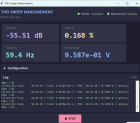
<div style="font-weight:bold; font-size:0.9em; margin-bottom:4px;">[[THD_Sweep_Measurement|THD sweep measurement ]]</div> | <div style="font-weight:bold; font-size:0.9em; margin-bottom:4px;">[[THD_Sweep_Measurement|THD sweep measurement ]]</div> | ||
<div style="font-size:0.78em; color:#555; line-height:1.35em;">Total harmonic distortion with a sweep sine measurement</div> | <div style="font-size:0.78em; color:#555; line-height:1.35em;">Total harmonic distortion with a sweep sine measurement</div> | ||
</div></div> | |||
<div style="width:165px; border:1px solid #c8ccd1; border-radius:8px; overflow:hidden; background:#fff; box-shadow:0 2px 5px rgba(0,0,0,0.09); text-align:center;"> | |||
<div style="background:#eef2fb; padding:12px; min-height:110px; display:flex; align-items:center; justify-content:center;">[[File:11_main_full.png|140px|link=SRS_Tool_—_Shock_Response_Spectrum_Analyser|SRS]]</div> | |||
<div style="padding:8px 6px 10px;"> | |||
<div style="font-weight:bold; font-size:0.9em; margin-bottom:4px;">[[SRS_Tool_—_Shock_Response_Spectrum_Analyser|SRS Tool]]</div> | |||
<div style="font-size:0.78em; color:#555; line-height:1.35em;">Shock Response Spectrum measurement</div> | |||
</div></div> | |||
<div style="width:165px; border:1px solid #c8ccd1; border-radius:8px; overflow:hidden; background:#fff; box-shadow:0 2px 5px rgba(0,0,0,0.09); text-align:center;"> | |||
<div style="background:#eef2fb; padding:12px; min-height:110px; display:flex; align-items:center; justify-content:center;">[[File:campbel.png|140px|link=Campbell_Diagram_Tool|Campbel]]</div> | |||
<div style="padding:8px 6px 10px;"> | |||
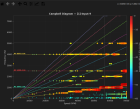
<div style="font-weight:bold; font-size:0.9em; margin-bottom:4px;">[[Campbell_Diagram_Tool|Campbell Diagram]]</div> | |||
<div style="font-size:0.78em; color:#555; line-height:1.35em;">Campbell Diagram</div> | |||
</div></div> | </div></div> | ||
</div> | </div> | ||
Latest revision as of 15:59, 1 July 2026


NEW!
NVGate V18
🏁 Getting Started
Complete documentation


Additional ressources
■ Workspace View



■ Display - Windows - Trace
■ Signal Processing Notes
NVGate Add on
A DLL is needed for NVDrive. It is downloadable in the Microsoft Visual C++ 2010 Service Pack 1 Redistributable Package here.