Difference between revisions of "NVGate"

From OROS Wiki
Jump to navigation Jump to search
(Surgical fix: Optimized SEO ONLY (as requested))
 
(41 intermediate revisions by 2 users not shown)
Line 1: Line 1:
[[category:WikiOros]]
{{#seo:
{{#seo:
|title=NVGate Noise and vibration software
|title=NVGate: Noise & Vibration Analysis Software | OROS Documentation
|keywords= NVgate manual, nois and vibration soft<are, FFT analyzer software
|keywords=NVGate, NVGate V17, noise and vibration software, FFT analyzer software, vibration analysis, acoustic analysis, signal processing, OROS, NVGate documentation
|description=How to use NVGate acoutsic and vibration software ? Official and complete documentation on this page.
|description=Official documentation for NVGate V17, the professional noise and vibration analysis software by OROS. FFT, order tracking, acoustics, and signal processing guides.
}}
}}
{{Software
<div style="float:right; clear:right; margin:0 0 20px 28px; width:280px; border-radius:12px; overflow:hidden; background:#fff; box-shadow:0 4px 18px rgba(0,0,0,0.13); font-size:0.95em; line-height:1.5em;">
|Logo= [[image:general-B-256.png|90px]]
<!-- ── Header ── -->
|Name= NVGate Software
<div style="background:linear-gradient(160deg,#1e3a5f,#2a5f8f); padding:22px 16px; text-align:center;">
|Screenshot=[[File:nvGate 7 550pxls.jpg|120px]]
[[File:general-B-256.png|60px]]
|Developers= [http://www.OROS.com Oros SA]
<div style="color:#fff; font-size:1.18em; font-weight:bold; margin-top:10px; letter-spacing:.02em;">NVGate</div>
|Type= [https://en.wikipedia.org/wiki/Data_acquisition Data Acquisition], [https://en.wikipedia.org/wiki/Signal_processing Signal processing], [https://en.wikipedia.org/wiki/Noise Noise] and [https://en.wikipedia.org/wiki/Vibration Vibration], [https://en.wikipedia.org/wiki/Spectrum_analyzer spectrum analyser]  
<div style="color:rgba(255,255,255,0.65); font-size:0.82em; margin-top:3px;">Noise &amp; Vibration Software</div>
|First release= 2001
<div style="margin-top:12px;"><span style="background:#f0a500; color:#fff; font-size:0.75em; font-weight:bold; padding:3px 14px; border-radius:20px; letter-spacing:.05em;">V17 — Latest release</span></div>
</div>
 
<!-- ── Screenshot ── -->
<div style="background:#eef2f7; text-align:center; padding:14px;">
[[File:nvGate 7 550pxls.jpg|250px]]
</div>
 
<!-- ── Info rows ── -->
{| style="width:100%; border-collapse:collapse;"
|-
| style="padding:8px 12px 8px 16px; color:#7a8fa6; width:42%; border-bottom:1px solid #f0f4f8; vertical-align:top;" | Developer
| style="padding:8px 14px 8px 8px; border-bottom:1px solid #f0f4f8; vertical-align:top;" | [http://www.OROS.com Oros Digital]
|-
| style="padding:8px 12px 8px 16px; color:#7a8fa6; border-bottom:1px solid #f0f4f8; vertical-align:top;" | Type
| style="padding:8px 14px 8px 8px; border-bottom:1px solid #f0f4f8; vertical-align:top;" | [https://en.wikipedia.org/wiki/Data_acquisition DAQ], [https://en.wikipedia.org/wiki/Signal_processing Signal processing], [https://en.wikipedia.org/wiki/Noise Noise] &amp; [https://en.wikipedia.org/wiki/Vibration Vibration], [https://en.wikipedia.org/wiki/Spectrum_analyzer Spectrum analyser]
|-
| style="padding:8px 12px 8px 16px; color:#7a8fa6; border-bottom:1px solid #f0f4f8;" | First release
| style="padding:8px 14px 8px 8px; border-bottom:1px solid #f0f4f8;" | 2001
|-
| style="padding:8px 12px 8px 16px; color:#7a8fa6; border-bottom:1px solid #f0f4f8; vertical-align:top;" | OS
| style="padding:8px 14px 8px 8px; border-bottom:1px solid #f0f4f8; vertical-align:top;" | Windows 11 / 10 &nbsp;([[PC_Requirements|requirements]])
|-
| style="padding:8px 12px 8px 16px; color:#7a8fa6; border-bottom:1px solid #f0f4f8; vertical-align:top;" | Language
| style="padding:8px 14px 8px 8px; border-bottom:1px solid #f0f4f8;" | English &middot; [https://www.toyo.co.jp/mecha/products/detail/oros-fft.html Japanese] &middot; Russian
|-
| style="padding:8px 12px 8px 16px; color:#7a8fa6; border-bottom:1px solid #f0f4f8;" | Licence
| style="padding:8px 14px 8px 8px; border-bottom:1px solid #f0f4f8;" | Proprietary
|-
| style="padding:8px 12px 8px 16px; color:#7a8fa6;" | Website
| style="padding:8px 14px 8px 8px;" | [http://www.oros.com oros.com]
|}


|Latest Version= NVGate V17
<!-- ── Footer / CTA ── -->
|Download= [[NVGate_V17:_Install_Process|Here]]
<div style="background:#f4f7fb; border-top:1px solid #e4eaf2; padding:14px 16px; text-align:center;">
|Update=
[[NVGate_V17:_Install_Process|<span style="display:inline-block; background:#f0a500; color:#fff; font-weight:bold; padding:8px 22px; border-radius:6px; font-size:0.92em;">&#x2B07; Download V17</span>]]
|Operating system= Windows 11 - Windows 10  ([[PC_Requirements|see PC requirements]])
<div style="margin-top:8px; font-size:0.83em;">[[FFT_Spectrum_Analyzer_Multipurpose#Full_technical_support|Contact support]]</div>
|Language= English, [https://www.toyo.co.jp/mecha/products/detail/oros-fft.html Japanese], Russian
</div>
|Licence = Proprietery
|website=[http://www.oros.com oros.com]; [[FFT Spectrum Analyzer Multipurpose#Full technical support|Contact support]] and here!
}}
+============'''<big>NVGate V17 now available !</big>'''=============+
==Install NVGate V17==


[[NVGate_V17:_Install_Process|Update to the latest version]]<br>
</div>


[[NVGate_V17: Release note|Release note NVGate V17]]
<!-- ═══════════════════════════════════════
    BANNIÈRE V17
════════════════════════════════════════ -->
<div style="background:linear-gradient(135deg, #1e3a5f 0%, #2a6099 100%); border-radius:10px; padding:22px 28px; margin:20px 0; display:flex; align-items:center; justify-content:space-between; flex-wrap:wrap; gap:16px;">
<div>
<div style="display:inline-block; background:#f0a500; color:#fff; font-size:0.72em; font-weight:bold; letter-spacing:.1em; padding:3px 10px; border-radius:20px; margin-bottom:8px;">NOW</div>
<div style="color:#fff; font-size:1.45em; font-weight:bold; line-height:1.2em;">NVGate V17 </div>
<!--<div style="color:rgba(255,255,255,0.75); font-size:0.9em; margin-top:5px;">Enhanced analysis capabilities &amp; new features</div>-->


[[NVGate Installation and Connection|First Installation and Connection]]<br>
</div><div style="display:flex; flex-direction:column; gap:8px; align-items:flex-start;">
<div style="background:#f0a500; border-radius:6px; padding:9px 18px; font-weight:bold; font-size:0.9em;"><span style="color:#fff;">[[NVGate_V17:_Install_Process|&#x2B07; Update to V17]]</span></div>
<div style="font-size:0.88em;"><span style="color:rgba(255,255,255,0.9);">&#x25B8; [[NVGate_V17:_Release_note|<span style="color:#fff;">Release Notes</span>]]</span></div>
<div style="font-size:0.88em;"><span style="color:rgba(255,255,255,0.9);">&#x25B8; [[NVGate_Installation_and_Connection|<span style="color:#fff;">First Installation</span>]]</span></div>
</div>
</div>


==First step==
<!-- ═══════════════════════════════════════
[[FFT_Spectrum_Analyzer_Multipurpose|OROS analyzer overview]]
    GETTING STARTED
════════════════════════════════════════ -->
 
<div style="background:#fff; border:1px solid #d0dae6; border-top:4px solid #1e3a5f; border-radius:0 0 8px 8px; padding:18px 24px; margin:4px 0 24px;">
<div style="font-weight:bold; font-size:1.05em; color:#1e3a5f; margin-bottom:14px;">&#x1F3C1;&nbsp; Getting Started</div>
<div style="line-height:2.3em;">
&#x25B8;&nbsp; [[FFT_Spectrum_Analyzer_Multipurpose|OROS analyzer overview]]<br>
&#x25B8;&nbsp; [[NVGate_Software_overview|First Start With NVGate]]<br>
&#x25B8;&nbsp; [https://youtube.com/playlist?list=PLwB9Ae8PGEbP-aPxWtOo1m59tingiiBIq&si=aLkUQ4Sz8vvnqo1g NVGate Video Tutorials]
</div>
</div>


[[NVGate_Software_overview|First Start With NVGate]]<br>


[https://www.oros.com/services/tutorial-videos/ NVGate Video Tutorial]<br>
<br>


== Complete documentation ==
Line 45: Line 88:
|-
|-
| colspan="8" style="background:#1e3a5f; color:#fff; padding:6px 14px; font-size:0.85em; font-weight:bold; letter-spacing:.1em;" |
| colspan="8" style="background:#1e3a5f; color:#fff; padding:6px 14px; font-size:0.85em; font-weight:bold; letter-spacing:.1em;" |
&#9658;&nbsp; RIBBON DOCUMENTATION
&#9658;&nbsp; DOCUMENTATION
|- style="background:#eef2fb; text-align:center; font-size:0.92em;"
|- style="background:#eef2fb; text-align:center; font-size:0.92em;"
| style="padding:10px 4px; border-right:1px solid #ccd6eb; width:12.5%; font-weight:bold;" |
| style="padding:10px 4px; border-right:1px solid #ccd6eb; width:12.5%; font-weight:bold;" |
Line 114: Line 157:
|}
|}
</div>
</div>
 
<br>
<br>
<!-- ═══ ADDITIONAL RESOURCES ═══ -->
==Additional ressources==
<div style="display:flex; gap:12px; margin:0 0 20px; flex-wrap:wrap;">
<div style="flex:1; min-width:155px; border:1px solid #c8ccd1; border-left:4px solid #1e3a5f; padding:12px 14px; background:#fff;">
Line 121: Line 166:
<div style="line-height:1.8em;">
[[NVGate_Architecture|Architecture]]<br>
[[NVGate_Architecture|Architecture]]<br>
<br>
[[File:ASB_.png|200px|link=NVGate_Analyzer_Setting_Browser_(ASB)]]<br>
[[File:ASB_.png|80px|link=NVGate_Analyzer_Setting_Browser_(ASB)]]<br>
[[NVGate_Analyzer_Setting_Browser_(ASB)|Analyzer Setting Browser]]<br>
[[NVGate_Analyzer_Setting_Browser_(ASB)|Analyzer Setting Browser]]<br>
<br>
[[File:Control_pannel.png|200px|link=NVGate_Control_Panel]]<br>
[[File:Control_pannel.png|80px|link=NVGate_Control_Panel]]<br>
[[NVGate_Control_Panel|Control Panel]]<br>
[[NVGate_Control_Panel|Control Panel]]<br>
<br>
[[File:Project_manager.png|200px|link=NVGate_Project_manager]]<br>
[[File:Project_manager.png|80px|link=NVGate_Project_manager]]<br>
[[NVGate_Project_manager|Project Manager]]<br>
[[NVGate_Project_manager|Project Manager]]<br>
<br>
[[NVGate_Status_bar|Status bar]]
[[NVGate_Status_bar|Status bar]]
</div></div>
</div></div>
Line 167: Line 208:


</div>
</div>
A_10.png|18px]] [[NVGate_Player|Player]]<br>
<br>
[[File:Reports_Tools_Ribbons_255.png|18px]] [[NVGate_Transducer_and_Calibration|Transducer & Cal.]]<br>
<br>
[[File:REF-MAN_VOL1_Analyzer_Settings_Browser_wiki_partA_10.png|18px]] [[NVGate_Virtual_Input|Virtual Input]]<br>
[[File:REF-MAN_VOL1_Analyzer_Settings_Browser_wiki_partA_11.png|18px]] [[NVGate_Output_Signals|Output Signals]]<br>
[[File:REF-MAN_VOL1_Analyzer_Settings_Browser_wiki_partA_11.png|18px]] [[NVGate_Event_definition|Event definition]]<br>
[[File:REF-MAN_VOL1_Analyzer_Settings_Browser_wiki_partA_11.png|18px]] [[NVGate_Filter_Builder|Filter]]<br>
[[File:REF-MAN_VOL1_Analyzer_Settings_Browser_wiki_partA_11.png|18px]] [[NVGate_Tachometer|Tachometer]]
| style="padding:10px 8px; border-top:1px solid #dde6f0; border-right:1px solid #eaeff7; font-size:0.82em; line-height:2em;" |
[[File:REF-MAN_VOL1_Analyzer_Settings_Browser_wiki_partA_10.png|18px]] [[NVGate_Front_End|Front End]]<br>
[[File:REF-MAN_VOL1_Analyzer_Settings_Browser_wiki_partA_10.png|18px]] [[NVGate_Recorder|Recorder]]<br>
[[File:REF-MAN_VOL1_Analyzer_Settings_Browser_wiki_partA_12.png|18px]] [[NVGate_FFT|FFT]]<br>
[[File:REF-MAN_VOL1_Analyzer_Settings_Browser_wiki_partA_12.png|18px]] [[NVGate_Synchronous_Order_Analysis|SOA]]<br>
[[File:REF-MAN_VOL1_Analyzer_Settings_Browser_wiki_partA_12.png|18px]] [[NVGate_Time_Domain_Analysis|TDA]]<br>
[[File:REF-MAN_VOL1_Analyzer_Settings_Browser_wiki_partA_12.png|18px]] [[NVGate_Octave_Analyzer|1/n Octave]]<br>
[[File:REF-MAN_VOL1_Analyzer_Settings_Browser_wiki_partA_12.png|18px]] [[NVGate_Overall_Acoustic_-_Sound_Level_meter|OVA]]<br>
[[File:REF-MAN_VOL1_Analyzer_Settings_Browser_wiki_partA_12.png|18px]] [[NVGate_Monitor_Plug_In|Monitor]]<br>
[[File:REF-MAN_VOL1_Analyzer_Settings_Browser_wiki_partA_13.png|18px]] [[NVGate_Waterfall|Waterfall]]<br>
[[NVGate_Time_windows|Force / response windows]]<br>
[[NVGate_Torsional|Torsional Analysis]]
| style="padding:10px 8px; border-top:1px solid #dde6f0; border-right:1px solid #eaeff7; font-size:0.82em; line-height:2em;" |
[[File:dataset_i.png|18px]] [[NVGate_dataset_management|Dataset management]]<br>
[[File:edit_icone.png|18px]] [[NVGate_Edit_Measurement|Edit Measurement]]<br>
[[File:Data_download_2022.PNG|18px]] [[Disk(Hard-drive)_management|Disk management]]<br>
[[File:Reports_Tools_Ribbons_503.jpg|18px]] [[NVGate_Export/import|Export / Import]]<br>
[[File:OR10_stand_alone.png|18px]] [[NVGate_OR10_Stand_alone|OR10 Stand Alone]]<br>
[[NVGate_D-Rec|D-Rec : record without PC]]
| style="padding:10px 8px; border-top:1px solid #dde6f0; border-right:1px solid #eaeff7; font-size:0.82em; line-height:2em;" |
[[File:ADD_re.png|18px]] [[NVGate_Ribbons:_Display|Add / Remove windows]]<br>
[[File:Reports_Tools_Ribbons_467.png|18px]] [[NVGate_Marker|Marker]]<br>
[[File:REF-MAN_VOL1_Analyzer_Settings_Browser_wiki_partA_13.png|18px]] [[NVGate_Waterfall#Waterfall_Display|Waterfall Display]]
| style="padding:10px 8px; border-top:1px solid #dde6f0; border-right:1px solid #eaeff7; font-size:0.82em; line-height:2em;" |
[[NVGate_Report|Report]]
| style="padding:10px 8px; border-top:1px solid #dde6f0; border-right:1px solid #eaeff7; font-size:0.82em; line-height:2em;" |
[[File:Reports_Tools_Ribbons_71.jpg|18px]] [[NVGate_Macro|Macro]]<br>
[[File:Reports_Tools_Ribbons_134.png|18px]] [[NVGate_Sequence|Sequencer]]<br>
[[File:CP.png|18px]] [[NVGate_Control_Panel|Control Panel]]<br>
[[File:Reports_Tools_Ribbons_162.png|18px]] [[NVGate_Mask_And_Alarm|Mask And Alarm]]
| style="padding:10px 8px; border-top:1px solid #dde6f0; font-size:0.82em; line-height:2em;" |
[[File:preference.png|18px]] [[NVGate_User_Preferences|User Preferences]]<br>
[[File:properties.png|18px]] [[NVGate:_Properties|Properties]]
|}
</div>
 
<!-- ═══ ADDITIONAL RESOURCES ═══ -->
<div style="display:flex; gap:12px; margin:0 0 20px; flex-wrap:wrap;">
 
<div style="flex:1; min-width:155px; border-left:4px solid #1e3a5f; border-radius:0 6px 6px 0; border:1px solid #c8ccd1; border-left:4px solid #1e3a5f; padding:12px 14px; background:#fff;">
<div style="font-weight:bold; color:#1e3a5f; margin-bottom:8px; font-size:0.9em;">&#9632; Workspace View</div>
<div style="font-size:0.84em; line-height:2em;">
[[NVGate_Architecture|Architecture]]<br>
[[File:ASB_.png|18px|link=NVGate_Analyzer_Setting_Browser_(ASB)]] [[NVGate_Analyzer_Setting_Browser_(ASB)|Analyzer Setting Browser]]<br>
[[File:Control_pannel.png|18px|link=NVGate_Control_Panel]] [[NVGate_Control_Panel|Control Panel]]<br>
[[File:Project_manager.png|18px|link=NVGate_Project_manager]] [[NVGate_Project_manager|Project Manager]]<br>
[[NVGate_Status_bar|Status bar]]
</div></div>
 
<div style="flex:1; min-width:190px; border-left:4px solid #1e3a5f; border-radius:0 6px 6px 0; border:1px solid #c8ccd1; border-left:4px solid #4a6fa5; padding:12px 14px; background:#fff;">
<div style="font-weight:bold; color:#4a6fa5; margin-bottom:8px; font-size:0.9em;">&#9632; Display - Windows - Trace</div>
<div style="font-size:0.84em; line-height:2em;">
[[NVGate_Display|Display Overview]]<br>
[[NVGate_Integrate_-_Differentiate_-_Unit|Integrate / Differentiate - Unit (RMS, pk, PSD...)]]<br>
[[NVGate_Operator|Graphical Operator]]<br>
[[File:REF-MAN_VOL1_Analyzer_Settings_Browser_wiki_partA_10.png|18px]] [[NVGate_Zoomed_signal|Player Zoomed signal]]
</div></div>
 
<div style="flex:1; min-width:190px; border:1px solid #c8ccd1; border-left:4px solid #4a6fa5; padding:12px 14px; background:#fff;">
<div style="font-weight:bold; color:#4a6fa5; margin-bottom:8px; font-size:0.9em;">&#9632; Signal Processing Notes</div>
<div style="font-size:0.84em; line-height:2em;">
[[NVGate_CBT_principle_and_settings|CBT principle and settings]]<br>
[[NVGate_SOA_and_CBT_techniques|SOA vs CBT]]<br>
[[NVGate_Envelope_analysis|Envelope Analysis]]<br>
[[NVGate_time_shift_resampling|Ext synch: time shift resampling]]<br>
[[User_note:_FFT_averaging|FFT Averaging]]<br>
[[NVGate:_How_do_I|NVGate: How do I?]]
</div></div>
 
<div style="flex:1; min-width:165px; border:1px solid #c8ccd1; border-left:4px solid #4a6fa5; padding:12px 14px; background:#fff;">
<div style="font-weight:bold; color:#4a6fa5; margin-bottom:8px; font-size:0.9em;">&#9632; Appendix</div>
<div style="font-size:0.84em; line-height:2em;">
[[NVGate_Formula_Computation|NVGate FFT Computation]]<br>
[[NVGate_filter_formula_appendix|Filter: curve and formula]]<br>
[[NVGate_Weighting_Windows_appendix|Weighting Windows]]<br>
[[NVGate_time_shift_resampling|Ext synch: time shift resampling]]<br>
[[NVGate_Specification|Specification]]<br>
[[NVGate_Shortcuts|Shortcuts]]<br>
[[NVGate_Glossary|Glossary]]
</div></div>
 
</div>
 
== Complete documentation ==
 
 
<div><ul>
<li style="display: inline-table;">
{| class="wikitable"
|+
|-
! [[NVGate Ribbons: Home Tab|Home]] 
|-
| [[File:GoToR.png|link=http://wiki.oros.com/wiki/index.php/NVGate_GoToResult]][[NVGate_GoToResult|Start GoToResult]]
|-
| [[File:PA_icone.png|25px]] [[NVGate Post Analysis|Post Analyze]]
|-
|[[File:Save_i.png|25px]][[NVGate_Ribbons:_Home_Tab#Save_group|Save setup]]
|}</li>
 
<li style="display: inline-table;">
{| class="wikitable"
! [[NVGate Ribbons: Acquisition Tab|Acquisition]]
|-
|[[File:connect_wiz.png|25px]][[NVGate_Connection_Wizard|Connect Inputs]]
|-
| [[File:REF-MAN VOL1 Analyzer Settings Browser wiki partA 10.png]] [[NVGate_Player|Player]]
|-
|
|-
| [[File:Reports_Tools_Ribbons_255.png|25px]] [[NVGate_Transducer_and_Calibration|Transducer and Calibration]]
|-
|[[File:REF-MAN VOL1 Analyzer Settings Browser wiki partA 10.png]] [[NVGate Virtual Input|Virtual Input]]
|-
| [[File:REF-MAN_VOL1_Analyzer_Settings_Browser_wiki_partA_11.png]] [[NVGate Output Signals|Output Signals]]
|-
| [[File:REF-MAN_VOL1_Analyzer_Settings_Browser_wiki_partA_11.png]] [[NVGate_Event_definition|Event definition]]
|-
| [[File:REF-MAN_VOL1_Analyzer_Settings_Browser_wiki_partA_11.png]] [[NVGate_Filter_Builder|Filter]]
|-
| [[File:REF-MAN_VOL1_Analyzer_Settings_Browser_wiki_partA_11.png]] [[NVGate_Tachometer|Tachometer]]
|} </li>
 
<li style="display: inline-table;">
{| class="wikitable"
! [[NVGate Ribbons: Analysis Tab|Analysis]]
|-
| [[File:REF-MAN VOL1 Analyzer Settings Browser wiki partA 10.png]] [[NVGate_Front_End|Front End]]
|-
| [[File:REF-MAN VOL1 Analyzer Settings Browser wiki partA 10.png]] [[NVGate_Recorder|Recorder]]
|-
| [[File:REF-MAN VOL1 Analyzer Settings Browser wiki partA 12.png]] [[NVGate_FFT|FFT]]
|-
| [[File:REF-MAN VOL1 Analyzer Settings Browser wiki partA 12.png]] [[NVGate_Synchronous_Order_Analysis|Synchronous Order Analysis (SOA)]]
|-
| [[File:REF-MAN VOL1 Analyzer Settings Browser wiki partA 12.png]] [[NVGate_Time_Domain_Analysis|Time Domain Analysis (TDA)]]
|-
| [[File:REF-MAN VOL1 Analyzer Settings Browser wiki partA 12.png]] [[NVGate_Octave_Analyzer|1/n Octave Analyzer]]
|-
| [[File:REF-MAN VOL1 Analyzer Settings Browser wiki partA 12.png]] [[NVGate_Overall_Acoustic_-_Sound_Level_meter|Overall Acoustic (OVA)]]
|-
| [[File:REF-MAN VOL1 Analyzer Settings Browser wiki partA 12.png]] [[NVGate Monitor Plug In|Monitor]]
|-
| [[File:REF-MAN_VOL1_Analyzer_Settings_Browser_wiki_partA_13.png]] [[NVGate_Waterfall|Waterfall]]
|-
|[[NVGate_Time_windows|Force / response windows]]
|-
|[[NVGate Torsional|Torsional Analysis]]
|} </li>
 
<li style="display: inline-table;">
{| class="wikitable"
! [[NVGate Ribbons: Data|Data]] 
|-
| [[File:dataset_i.png|25px]][[NVGate dataset management|Dataset management]]
|-
| [[File:edit_icone.png|25px]] [[NVGate_Edit_Measurement|Edit Measurement]]
|-
| [[File:Data_download_2022.PNG|25px]] [[Disk(Hard-drive)_management|Disk management]]
|-
| [[File:Reports_Tools_Ribbons_503.jpg|25px]] [[NVGate_Export/import|Export/Import file]]
|-
| [[File:OR10_stand_alone.png|25px]] [[NVGate_OR10_Stand_alone|OR10 Stand Alone]]
|-
| [[NVGate D-Rec|D-Rec : record without PC]]
|}</li>
 
<li style="display: inline-table;">
{| class="wikitable"
! [[NVGate_Ribbons:_Display|Display]]
|-
|[[File:ADD_re.png|25px]] [[NVGate Ribbons: Display|Add/remove windows]]
|-
|[[File:Reports_Tools_Ribbons_467.png|25px]] [[NVGate Marker|Marker]]
|-
|[[File:REF-MAN_VOL1_Analyzer_Settings_Browser_wiki_partA_13.png]] [[NVGate_Waterfall#Waterfall_Display|Waterfall Display]]
|-
|} </li>
 
<li style="display: inline-table;">
{| class="wikitable"
! [[NVGate_Report|Report]]
|-
|} </li>
<li style="display: inline-table;">
{| class="wikitable"
! [[NVGate_Ribbons:_Automation|Automation]]
|-
|[[File:Reports_Tools_Ribbons_71.jpg|25px]]  [[NVGate Macro|Macro]]
|-
|[[File:Reports_Tools_Ribbons_134.png|25px]] [[NVGate_Sequence|Sequencer]]
|-
|[[File:CP.png|25px]][[NVGate_Control_Panel|Control Panel]]
|-
| [[File:Reports_Tools_Ribbons_162.png|25px]] [[NVGate_Mask_And_Alarm|Mask And Alarm]]
|-
|} </li>
<li style="display: inline-table;">
{| class="wikitable"
! [[NVGate_Ribbons:_Preferences|Preferences]] 
|-
| [[File:preference.png|25px]] [[NVGate User Preferences|User Preferences]]
|-
| [[File:properties.png|25px]] [[NVGate:_Properties|Properties]]
|}</li>
</ul></div>


<div><ul>
<li style="display: inline-table;">
{| class="wikitable"
|+
|-
! Workspace View
|-
| [[NVGate_Architecture|Architecture]]
|-
|  [[File:ASB_.png|link=NVGate_Analyzer_Setting_Browser_(ASB)]]
|-
| [[File:Control_pannel.png|link=NVGate_Control_Panel]]
|-
| [[File:Project manager.png|link=NVGate_Project_manager]]
|-
|
|-
|}</li>
 
<li style="display: inline-table;">
{| class="wikitable"
! style="padding: 5px" |Display - windows - Trace
|-
|[[NVGate Display|Display Overview]]
|-
| [[NVGate Integrate - Differentiate - Unit|Integrate/Differentiate - Unit (RMS, pk, PSD...)]]
 
|-
|[[NVGate_Operator|Graphical Operator]]
|-
| [[File:REF-MAN VOL1 Analyzer Settings Browser wiki partA 10.png]] [[NVGate Zoomed signal|Player Zoomed signal]]
|} </li>
 
<li style="display: inline-table;">
{| class="wikitable"
! style="padding: 5px" |Signal processing note
|-
|[[NVGate CBT principle and settings|CBT principle and settings]]
|-
|[[NVGate_SOA_and_CBT_techniques|SOA vs CBT]]
|-
|[[NVGate_Envelope_analysis|Envelope Analysis]]
|-
|[[NVGate_time_shift_resampling|Ext synch: time shift resampling]]
|-
|[[User_note:_FFT_averaging|FFT Averaging]]
|-
|[[NVGate: How do I|NVGate: How do I?]]
|-
|} </li>
 
<li style="display: inline-table;">
{| class="wikitable"
! style="padding: 5px" |Appendix:
|-
|[[NVGate_Formula_Computation|NVGate FFT Computation]]
|-
|[[NVGate_filter_formula_appendix|Filter: curve and formula]]
|-
|[[NVGate_Weighting_Windows_appendix|Weighting Windows]]
|-
|[[NVGate_time_shift_resampling|Ext synch: time shift resampling]]
|-
|[[NVGate Specification]]
|-
|[[NVGate Shortcuts|Shortcuts]]
|-
|[[NVGate_Glossary|Glossary]]
|} </li>
 
{| class="wikitable"
|-
| [[NVGate_Status_bar|Status bar]]
|}


==NVGate Add on==
==NVGate Add on==
 
<br>
A DLL is needed for NVDrive. It is downloadable in the Microsoft Visual C++ 2010 Service Pack 1 Redistributable Package [https://www.microsoft.com/en-us/download/details.aspx?id=26999 here].
 
<br>
<div style="display:flex; flex-wrap:wrap; gap:16px; margin:22px 0;">


Line 473: Line 225:


<div style="width:165px; border:1px solid #c8ccd1; border-radius:8px; overflow:hidden; background:#fff; box-shadow:0 2px 5px rgba(0,0,0,0.09); text-align:center;">
<div style="background:#eef2fb; padding:12px; min-height:110px; display:flex; align-items:center; justify-content:center;">[[File:Manual_-_Tach_Extract_04.png|140px|link=External_Tools:_TachTool|TachTool]]</div>
<div style="background:#eef2fb; padding:12px; min-height:110px; display:flex; align-items:center; justify-content:center;">[[File:Manual_-_Tach_Extract_08.gif|140px|link=External_Tools:_TachTool|TachTool]]</div>
<div style="padding:8px 6px 10px;">
<div style="font-weight:bold; font-size:0.9em; margin-bottom:4px;">[[External_Tools:_TachTool|TachTool]]</div>
Line 582: Line 334:
<div style="font-weight:bold; font-size:0.9em; margin-bottom:4px;">[[NVGate_Diesel_Engine_Vibration_Solution:_EngineDiag|EngineDiag]]</div>
<div style="font-size:0.78em; color:#555; line-height:1.35em;">Diesel engine vibration diagnostic solution</div>
</div></div>
<div style="width:165px; border:1px solid #c8ccd1; border-radius:8px; overflow:hidden; background:#fff; box-shadow:0 2px 5px rgba(0,0,0,0.09); text-align:center;">
<div style="background:#eef2fb; padding:12px; min-height:110px; display:flex; align-items:center; justify-content:center;">[[File:Sweep.png|140px|link=THD_Sweep_Measurement|THD]]</div>
<div style="padding:8px 6px 10px;">
<div style="font-weight:bold; font-size:0.9em; margin-bottom:4px;">[[THD_Sweep_Measurement|THD sweep measurement ]]</div>
<div style="font-size:0.78em; color:#555; line-height:1.35em;">Total harmonic distortion with a sweep sine measurement</div>
</div></div>
<div style="width:165px; border:1px solid #c8ccd1; border-radius:8px; overflow:hidden; background:#fff; box-shadow:0 2px 5px rgba(0,0,0,0.09); text-align:center;">
<div style="background:#eef2fb; padding:12px; min-height:110px; display:flex; align-items:center; justify-content:center;">[[File:11_main_full.png|140px|link=SRS_Tool_—_Shock_Response_Spectrum_Analyser|SRS]]</div>
<div style="padding:8px 6px 10px;">
<div style="font-weight:bold; font-size:0.9em; margin-bottom:4px;">[[SRS_Tool_—_Shock_Response_Spectrum_Analyser|SRS Tool]]</div>
<div style="font-size:0.78em; color:#555; line-height:1.35em;">Shock Response Spectrum measurement</div>
</div></div>
</div></div>


</div>
</div>

Latest revision as of 14:15, 4 May 2026

General-B-256.png

NVGate
Noise & Vibration Software
V17 — Latest release

NvGate 7 550pxls.jpg

Developer Oros Digital
Type DAQ, Signal processing, Noise & Vibration, Spectrum analyser
First release 2001
OS Windows 11 / 10  (requirements)
Language English · Japanese · Russian
Licence Proprietary
Website oros.com


🏁  Getting Started


Complete documentation


Additional ressources


NVGate Add on


A DLL is needed for NVDrive. It is downloadable in the Microsoft Visual C++ 2010 Service Pack 1 Redistributable Package here.
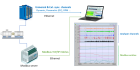
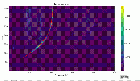
Inject Modbus registers as DC simulated channels
Extract tachometer reference from a recorded signal
Automate post-processing on multiple files
Compute principal stresses from strain gauge rosettes
Measure acoustic reverberation time
Generate automated production test reports
Edit and synthesize recorded time signals
Import CAN bus variables from .dbc files
Synchronize measurements with IRIG-B time code
Emulate HP/Agilent spectrum analyzer display modes
Log GPS position as DC simulated channels
Visualize torsional operational deflection shapes
Integrate Davis weather station data as DC channels
Whole-body & hand-arm vibration analysis (ISO 2631)
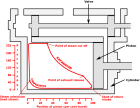
Pressure-Volume indicator diagram for engine analysis
Electrical motor & inverter diagnostic solution
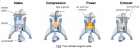
Diesel engine vibration diagnostic solution
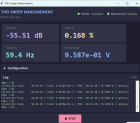
Total harmonic distortion with a sweep sine measurement
Shock Response Spectrum measurement