Difference between revisions of "NVGate"
| Line 121: | Line 121: | ||
<div style="line-height:1.8em;"> | <div style="line-height:1.8em;"> | ||
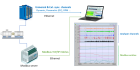
[[NVGate_Architecture|Architecture]]<br> | [[NVGate_Architecture|Architecture]]<br> | ||
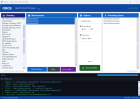
[[File:ASB_.png|200px|link=NVGate_Analyzer_Setting_Browser_(ASB)]]<br> | |||
[[File:ASB_.png| | |||
[[NVGate_Analyzer_Setting_Browser_(ASB)|Analyzer Setting Browser]]<br> | [[NVGate_Analyzer_Setting_Browser_(ASB)|Analyzer Setting Browser]]<br> | ||
[[File:Control_pannel.png|200px|link=NVGate_Control_Panel]]<br> | |||
[[File:Control_pannel.png| | |||
[[NVGate_Control_Panel|Control Panel]]<br> | [[NVGate_Control_Panel|Control Panel]]<br> | ||
[[File:Project_manager.png|200px|link=NVGate_Project_manager]]<br> | |||
[[File:Project_manager.png| | |||
[[NVGate_Project_manager|Project Manager]]<br> | [[NVGate_Project_manager|Project Manager]]<br> | ||
[[NVGate_Status_bar|Status bar]] | [[NVGate_Status_bar|Status bar]] | ||
</div></div> | </div></div> | ||
Revision as of 11:22, 1 April 2026
| NVGate Software | |
|---|---|

|

|
| Developer | Oros SA |
| Type | Data Acquisition, Signal processing, Noise and Vibration, spectrum analyser |
| First release | 2001 |
| Latest Version | NVGate V17 |
| Download | Here |
| Operating system: | Windows 11 - Windows 10 (see PC requirements) |
| Language | English, Japanese, Russian |
| Official website | oros.com; Contact support and here! |
+============NVGate V17 now available !=============+
Install NVGate V17
First Installation and Connection
First step
Complete documentation





A_10.png|18px]] Player
 Transducer & Cal.
 Virtual Input
 Output Signals
Event definition
Filter
Tachometer
| style="padding:10px 8px; border-top:1px solid #dde6f0; border-right:1px solid #eaeff7; font-size:0.82em; line-height:2em;" |
Front End
Recorder
 FFT
FFT
SOA
TDA
1/n Octave
OVA
Monitor
 Waterfall
Force / response windows
Torsional Analysis
| style="padding:10px 8px; border-top:1px solid #dde6f0; border-right:1px solid #eaeff7; font-size:0.82em; line-height:2em;" |
 Dataset management
 Edit Measurement
 Disk management
 Export / Import
 OR10 Stand Alone
D-Rec : record without PC
| style="padding:10px 8px; border-top:1px solid #dde6f0; border-right:1px solid #eaeff7; font-size:0.82em; line-height:2em;" |
 Add / Remove windows
 Marker
Waterfall Display
| style="padding:10px 8px; border-top:1px solid #dde6f0; border-right:1px solid #eaeff7; font-size:0.82em; line-height:2em;" |
Report
| style="padding:10px 8px; border-top:1px solid #dde6f0; border-right:1px solid #eaeff7; font-size:0.82em; line-height:2em;" |
 Macro
Macro
 Sequencer
 Control Panel
 Mask And Alarm
| style="padding:10px 8px; border-top:1px solid #dde6f0; font-size:0.82em; line-height:2em;" |
Mask And Alarm
| style="padding:10px 8px; border-top:1px solid #dde6f0; font-size:0.82em; line-height:2em;" |
 User Preferences
 Properties
|}
Properties
|}


Complete documentation
-
Home  Start GoToResult
 Post Analyze
 Save setup
-
Acquisition  Connect Inputs
 Player
 Transducer and Calibration
Virtual Input
Transducer and Calibration
Virtual Input
 Output Signals
Event definition
Filter
Tachometer
Output Signals
Event definition
Filter
Tachometer
-
Analysis Front End
Recorder
 FFT
Synchronous Order Analysis (SOA)
Time Domain Analysis (TDA)
1/n Octave Analyzer
Overall Acoustic (OVA)
Monitor
FFT
Synchronous Order Analysis (SOA)
Time Domain Analysis (TDA)
1/n Octave Analyzer
Overall Acoustic (OVA)
Monitor
 Waterfall
Force / response windows Torsional Analysis -
Data  Dataset management
 Edit Measurement
 Disk management
 Export/Import file
 OR10 Stand Alone
D-Rec : record without PC -
Display  Add/remove windows
 Marker
Waterfall Display
Marker
Waterfall Display
-
Report -
Automation  Macro
Macro
 Sequencer
 Control Panel
 Mask And Alarm
-
Preferences  User Preferences
 Properties


-
Workspace View Architecture 


-
Display - windows - Trace Display Overview Integrate/Differentiate - Unit (RMS, pk, PSD...) Graphical Operator Player Zoomed signal
-
Signal processing note CBT principle and settings SOA vs CBT Envelope Analysis Ext synch: time shift resampling FFT Averaging NVGate: How do I? -
Appendix: NVGate FFT Computation Filter: curve and formula Weighting Windows Ext synch: time shift resampling NVGate Specification Shortcuts Glossary
| Status bar |
NVGate Add on
A DLL is needed for NVDrive. It is downloadable in the Microsoft Visual C++ 2010 Service Pack 1 Redistributable Package here.