Difference between revisions of "Modal"
Jump to navigation
Jump to search
(Visual overhaul: added hero section, module grid, and organized resources.) |
(Visual overhaul: added hero section, module grid, and organized resources.) |
||
| Line 60: | Line 60: | ||
<small>MAC and COMAC for model validation and comparison.</small> | <small>MAC and COMAC for model validation and comparison.</small> | ||
| style="width:33%; background:#fff; border:1px solid #eee; border-top: 5px solid #0055A4; padding:15px; border-radius:5px; text-align:center; vertical-align:top;" | | | style="width:33%; background:#fff; border:1px solid #eee; border-top: 5px solid #0055A4; padding:15px; border-radius:5px; text-align:center; vertical-align:top;" | | ||
[[File: | [[File:structural-B-256.png|64px|link=Modal_Import_Export]]<br> | ||
'''[[Modal_Import_Export| | '''[[Modal_Import_Export|Import / Export]]'''<br> | ||
<small>Universal file formats (UFF), Excel, and reporting.</small> | <small>Universal file formats (UFF), Excel, and reporting.</small> | ||
|} | |} | ||
| Line 79: | Line 79: | ||
== Installation == | == Installation == | ||
Access the latest version and installation guides: [[Modal_Install|'''Download Modal''']] | Access the latest version and installation guides: [[Modal_Install|'''Download & Install Modal''']] | ||
== Video | == Video Tutorials == | ||
< | <div style="display: flex; flex-wrap: wrap; gap: 20px; justify-content: flex-start;"> | ||
<Youtube>https://youtu.be/-oDzxiFT8yQ?si=ZqHJE67Qs0pbOYwc</Youtube> | |||
<Youtube>https://youtu.be/knLnt1Ck0yc?si=NHrL5oTd-LQUpgJl</Youtube> | |||
<Youtube>https://youtu.be/3PPqbFQaKv4</Youtube> | |||
<Youtube>https://youtu.be/LK5CvJcJdtk</Youtube> | |||
<Youtube>https://youtu.be/tr4JLknO0-g</Youtube> | |||
</ | </div> | ||
[[Category:Modal]] | |||
[[Category:WikiOros]] | |||
Revision as of 15:17, 4 May 2026
| Modal Software | |
|---|---|

|

|
| Developer | Oros SA |
| Type | Modal Analysis, Structural dynamics, Data Acquisition, Modal testing, Vibration, Frequency response |
| First release | 2003 |
| Latest Version | V5.9 (2024) |
| Download | Download Here |
| Operating system: | Windows 10 & 11 (PC Requirements) |
| Language | English, Chinese |
| Official website | oros.com |
Overview
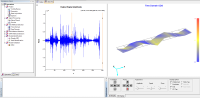
OROS Modal is a high-performance software dedicated to structural dynamics. It allows engineers to identify the dynamic characteristics of structures through Modal Analysis (EMA/OMA) and Operating Deflection Shapes (ODS).
- **Complete Workflow**: From geometry definition to parameter identification.
- **Ease of Use**: Intuitive interface designed for experimentalists.
- **Accuracy**: State-of-the-art algorithms for damping and frequency estimation.
- **Integration**: Fully compatible with OROS noise and vibration analyzers.
Software Modules
|
|
|
|
|
|
|
|


Resources
Learning & Support
- First Steps Guide - Getting started with OROS Modal.
- Tutorials - Hands-on exercises and case studies.
- ODS Tutorial - Learning Operating Deflection Shapes.
- Keyboard Shortcuts - Improve your productivity.
- Theoretical FAQ - Deep dive into modal theory.
Technical Notes
- Algorithm Comparison: Comparison of identification methods inside Modal.
- MIF Information: Mode Indicator Function details.
Installation
Access the latest version and installation guides: Download & Install Modal
Video Tutorials