Difference between revisions of "Modal"
Jump to navigation
Jump to search
(Visual overhaul: added hero section, module grid, and organized resources.) |
|||
| Line 1: | Line 1: | ||
[[category:Modal]] | [[category:Modal]] | ||
[[category:WikiOros]] | [[category:WikiOros]] | ||
{{#seo: | |||
|title=Modal Analysis Software - Structural Dynamics | OROS | |||
|keywords=Modal Analysis, Structural dynamics, Data Acquisition, Modal testing, Vibration, Frequency response, EMA, OMA, ODS | |||
|description=OROS Modal software is a comprehensive solution for structural dynamics. Determine modal frequencies, damping ratios, and mode shapes with ease. | |||
}} | |||
{{Software | {{Software | ||
|Logo= [[image:structural-B-256.png|90px]] | |Logo= [[image:structural-B-256.png|90px]] | ||
|Name= Modal Software | |Name= Modal Software | ||
|Screenshot=[[File:Modal_Manual_132.png| | |Screenshot=[[File:Modal_Manual_132.png|220px]] | ||
|Developers= [http://www.OROS.com Oros SA] | |Developers= [http://www.OROS.com Oros SA] | ||
|Type= [ | |Type= [[Modal analysis|Modal Analysis]], [[Structural dynamics]], [[Data Acquisition]], [[Modal testing]], [[Vibration]], [[Frequency response]] | ||
|First release= 2003 | |First release= 2003 | ||
|Latest Version= V5.9 | |Latest Version= V5.9 (2024) | ||
|Download= [[Modal_Install|Here]] | |Download= [[Modal_Install|Download Here]] | ||
|Operating system= Windows 10 & 11 ([[PC_Requirements|PC Requirements]]) | |||
|Operating system= Windows 10 | |Language= English, Chinese | ||
|Language= English, Chinese | |Licence = Proprietary | ||
|Licence = | |website=[https://www.oros.com/solutions/structural-dynamics/modal-analysis/ oros.com] | ||
|website=[https://www.oros.com/solutions/structural-dynamics/modal-analysis/ oros.com] | |||
}} | }} | ||
{| | == Overview == | ||
'''OROS Modal''' is a high-performance software dedicated to structural dynamics. It allows engineers to identify the dynamic characteristics of structures through Modal Analysis (EMA/OMA) and Operating Deflection Shapes (ODS). | |||
<div style="background:#f9f9f9; border:1px solid #ddd; padding:15px; border-radius:8px; margin-bottom:20px;"> | |||
[[File:Modal_Manual_132.png|right|200px]] | |||
* **Complete Workflow**: From geometry definition to parameter identification. | |||
* **Ease of Use**: Intuitive interface designed for experimentalists. | |||
* **Accuracy**: State-of-the-art algorithms for damping and frequency estimation. | |||
* **Integration**: Fully compatible with OROS noise and vibration analyzers. | |||
</div> | |||
== Software Modules == | |||
{| style="width:100%; border-collapse: separate; border-spacing: 10px;" | |||
|- | |- | ||
| [[ | | style="width:33%; background:#fff; border:1px solid #eee; border-top: 5px solid #0055A4; padding:15px; border-radius:5px; text-align:center; vertical-align:top;" | | ||
[[File:modal_geometry.png|64px|link=Modal_Geometry]]<br> | |||
'''[[Modal_Geometry|Geometry]]'''<br> | |||
<small>Define your structure with nodes, lines, and surfaces.</small> | |||
| style="width:33%; background:#fff; border:1px solid #eee; border-top: 5px solid #0055A4; padding:15px; border-radius:5px; text-align:center; vertical-align:top;" | | |||
[[File:data_acquisition.png|64px|link=Modal_Data_Acquisition]]<br> | |||
'''[[Modal_Data_Acquisition|Acquisition]]'''<br> | |||
<small>Setup channels, impact hammer, or shaker tests.</small> | |||
| style="width:33%; background:#fff; border:1px solid #eee; border-top: 5px solid #0055A4; padding:15px; border-radius:5px; text-align:center; vertical-align:top;" | | |||
[[File:signal_processing.png|64px|link=Modal_Signal_Processing]]<br> | |||
'''[[Modal_Signal_Processing|Processing]]'''<br> | |||
<small>Frequency Response Functions (FRF) and Coherence.</small> | |||
|- | |- | ||
| | | style="width:33%; background:#fff; border:1px solid #eee; border-top: 5px solid #0055A4; padding:15px; border-radius:5px; text-align:center; vertical-align:top;" | | ||
[[File:ODS_EMA_OMA.png|64px|link=Modal_ODS_and_Modal(EMA-OMA)_identification]]<br> | |||
'''[[Modal_ODS_and_Modal(EMA-OMA)_identification|Identification]]'''<br> | |||
| | <small>Extract Modal Parameters: EMA, OMA, and ODS.</small> | ||
| style="width:33%; background:#fff; border:1px solid #eee; border-top: 5px solid #0055A4; padding:15px; border-radius:5px; text-align:center; vertical-align:top;" | | |||
[[File:Mac-comac.png|64px|link=Modal_MAC_and_COMAC]]<br> | |||
'''[[Modal_MAC_and_COMAC|Validation]]'''<br> | |||
|- | <small>MAC and COMAC for model validation and comparison.</small> | ||
| style="width:33%; background:#fff; border:1px solid #eee; border-top: 5px solid #0055A4; padding:15px; border-radius:5px; text-align:center; vertical-align:top;" | | |||
|- | [[File:Modal_Import_Export|64px|link=Modal_Import_Export]]<br> | ||
'''[[Modal_Import_Export|I/O]]'''<br> | |||
<small>Universal file formats (UFF), Excel, and reporting.</small> | |||
|} | |} | ||
== | == Resources == | ||
[[Modal_practical|Tutorial]] | |||
[[Modal Theorical FAQ| | === Learning & Support === | ||
* [[Modal_First_steps|'''First Steps Guide''']] - Getting started with OROS Modal. | |||
* [[Modal_practical|'''Tutorials''']] - Hands-on exercises and case studies. | |||
* [[Tutorial_ODS_modal|'''ODS Tutorial''']] - Learning Operating Deflection Shapes. | |||
* [[Modal_Shortcuts|'''Keyboard Shortcuts''']] - Improve your productivity. | |||
* [[Modal Theorical FAQ|'''Theoretical FAQ''']] - Deep dive into modal theory. | |||
[https://orossas.sharepoint.com/:w:/g/support/EV_mN0vQawNFj3fXv5Nt1iABrhqt3NO0DdSJ1vWj8xhibA?e=bjYUMo | === Technical Notes === | ||
* [https://orossas.sharepoint.com/:w:/g/support/EV_mN0vQawNFj3fXv5Nt1iABrhqt3NO0DdSJ1vWj8xhibA?e=bjYUMo Algorithm Comparison]: Comparison of identification methods inside Modal. | |||
* [https://orossas.sharepoint.com/:w:/g/support/EV_i4LElZ-pIvugufhQ4CI4BoxIprh8Sqn3LGR7EWkKCjg?e=qgeTC MIF Information]: Mode Indicator Function details. | |||
[ | == Installation == | ||
Access the latest version and installation guides: [[Modal_Install|'''Download Modal''']] | |||
== Video Gallery == | |||
<gallery mode="packed-hover" heights="180"> | |||
File:Modal_video_thumbnail.png|link=https://youtu.be/-oDzxiFT8yQ|Tutorial Part 1 | |||
File:Modal_video_thumbnail.png|link=https://youtu.be/knLnt1Ck0yc|Tutorial Part 2 | |||
File:Modal_video_thumbnail.png|link=https://youtu.be/3PPqbFQaKv4|Advanced Identification | |||
File:Modal_video_thumbnail.png|link=https://youtu.be/LK5CvJcJdtk|Geometry Setup | |||
File:Modal_video_thumbnail.png|link=https://youtu.be/tr4JLknO0-g|MAC Validation | |||
</gallery> | |||
<small>''Note: Some videos might open in a new tab.''</small> | |||
< | |||
Revision as of 15:17, 4 May 2026
| Modal Software | |
|---|---|

|

|
| Developer | Oros SA |
| Type | Modal Analysis, Structural dynamics, Data Acquisition, Modal testing, Vibration, Frequency response |
| First release | 2003 |
| Latest Version | V5.9 (2024) |
| Download | Download Here |
| Operating system: | Windows 10 & 11 (PC Requirements) |
| Language | English, Chinese |
| Official website | oros.com |
Overview
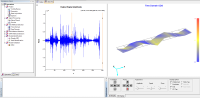
OROS Modal is a high-performance software dedicated to structural dynamics. It allows engineers to identify the dynamic characteristics of structures through Modal Analysis (EMA/OMA) and Operating Deflection Shapes (ODS).
- **Complete Workflow**: From geometry definition to parameter identification.
- **Ease of Use**: Intuitive interface designed for experimentalists.
- **Accuracy**: State-of-the-art algorithms for damping and frequency estimation.
- **Integration**: Fully compatible with OROS noise and vibration analyzers.
Software Modules
|
|
|
|
|
|
|
File:Modal Import Export |


Resources
Learning & Support
- First Steps Guide - Getting started with OROS Modal.
- Tutorials - Hands-on exercises and case studies.
- ODS Tutorial - Learning Operating Deflection Shapes.
- Keyboard Shortcuts - Improve your productivity.
- Theoretical FAQ - Deep dive into modal theory.
Technical Notes
- Algorithm Comparison: Comparison of identification methods inside Modal.
- MIF Information: Mode Indicator Function details.
Installation
Access the latest version and installation guides: Download Modal
Video Gallery
- Modal video thumbnail.png
- Modal video thumbnail.png
- Modal video thumbnail.png
- Modal video thumbnail.png
- Modal video thumbnail.png
Note: Some videos might open in a new tab.