Difference between revisions of "MultiPlane export 1X NVGate"
Jump to navigation
Jump to search

m (English edits) |
|||
| (One intermediate revision by one other user not shown) | |||
| Line 1: | Line 1: | ||
[[category:WikiOros]] | |||
===How to set up NVGate for Multi-Plane Balancing=== | ===How to set up NVGate for Multi-Plane Balancing=== | ||
| Line 33: | Line 34: | ||
[[Image:Collecting_data_with_NVGate_for_MP_Balancing_07.gif|framed|none]] | [[Image:Collecting_data_with_NVGate_for_MP_Balancing_07.gif|framed|none]] | ||
<Youtube>https://www.youtube.com/watch?v=35qc4THyw7o</Youtube> | |||
* | * | ||
Latest revision as of 10:57, 26 November 2024
How to set up NVGate for Multi-Plane Balancing
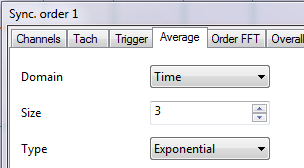
- SOA settings: Select Average = Time, better for rotor balancing:

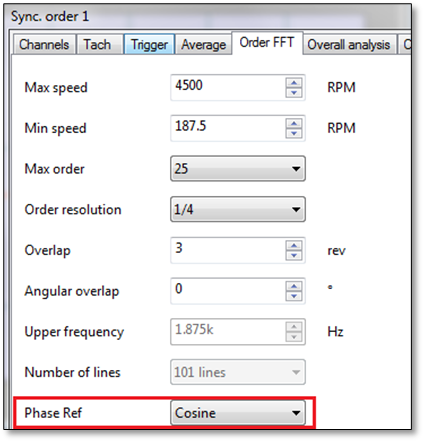
- SOA settings : PhaseRef=Cosine,

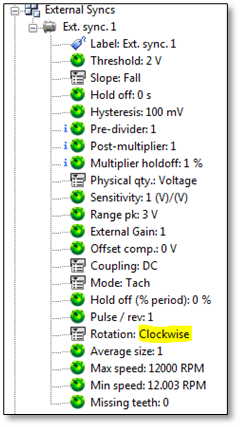
- Set the Ext Synch inputs Rotation as ClockWise

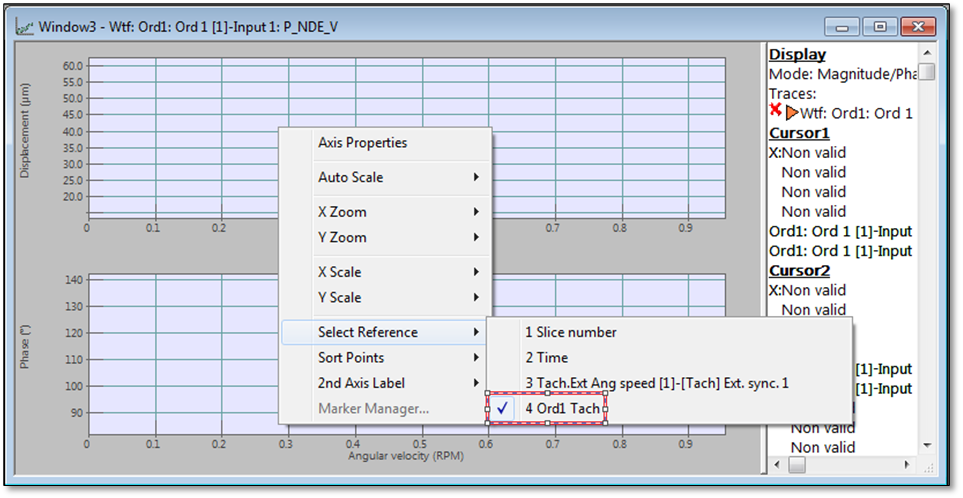
- Bode Plot 1X : Magnitude vs Speed :
Select the "Ord1 Tach" for the bode plot. This speed is evaluated in the middle of the trigger block whereas the "Tach Ext Ang speed" is the speed at the beginning of the trigger block.

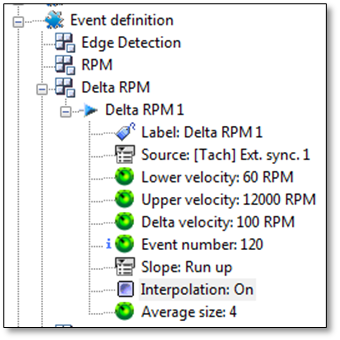
- Interpolation : prefer to use interpolated delta RPM event for Waterfall trigger. Indeed, the MP balancing process needs several transient speed runs. In order to get synchronized runs, we advise to use the interpolated delta RPM for the Waterfall trigger.

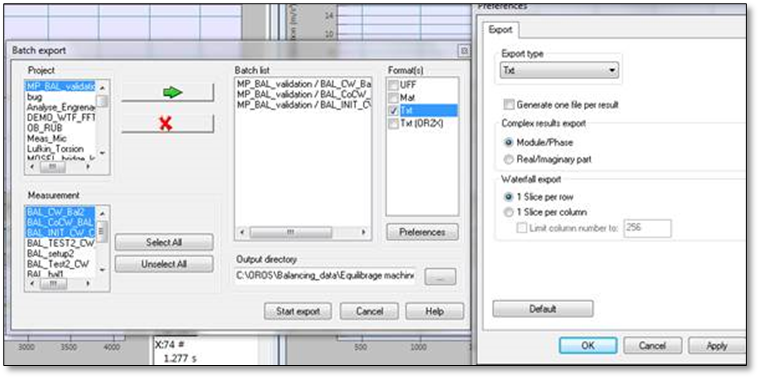
- Export toward TXT files:
Export results through File Tab => Results Files (check the format export in the picture on the right)

It is also possible to trigger exporting after each measurement (through Save setup):
